Lampasas County Traffic Cases Belong to Separate Courts
A traffic citation creates a court record in the court named on the document. A city citation may be held by Lampasas, Kempner, or Lometa Municipal Court. County justice-court citations route to JP1, grouped JP2/3, or JP4. These offices do not share one public active-warrant list. The number printed on the citation and the court name are the best clues to where the case must be checked.
A missed court date or unpaid amount can prompt a court to take further action under the governing procedure, but the exact action depends on the case and any order entered. A balance, an old citation, or a driver's-license hold is not proof that a warrant is currently outstanding. Confirm the case status with the clerk and ask the serving agency only if you need to verify enforcement status.
Lampasas Precinct Routing Follows the Citation
For county precinct matters, use JP1 at 501 East Fourth, Suite 105, phone 512-564-1845; JP2/3 at 104 North Fourth in Lometa, 512-752-3497; or JP4 at 315 Pecan in Kempner, 512-932-2182. Those are separate dockets even when the ticket was issued along the same road. The precinct printed on a notice controls the route, not the reader's preferred town or nearest office.
If the court name is missing or the citation appears to have been transferred, call the issuing court or agency and ask where the case was filed. Record the case number and clerk's instructions. A general county search is not available to confirm every court's current traffic inventory, so an unanswered search should lead to a targeted contact rather than a conclusion that no case exists.
Check a Lampasas Traffic Docket by Case Number
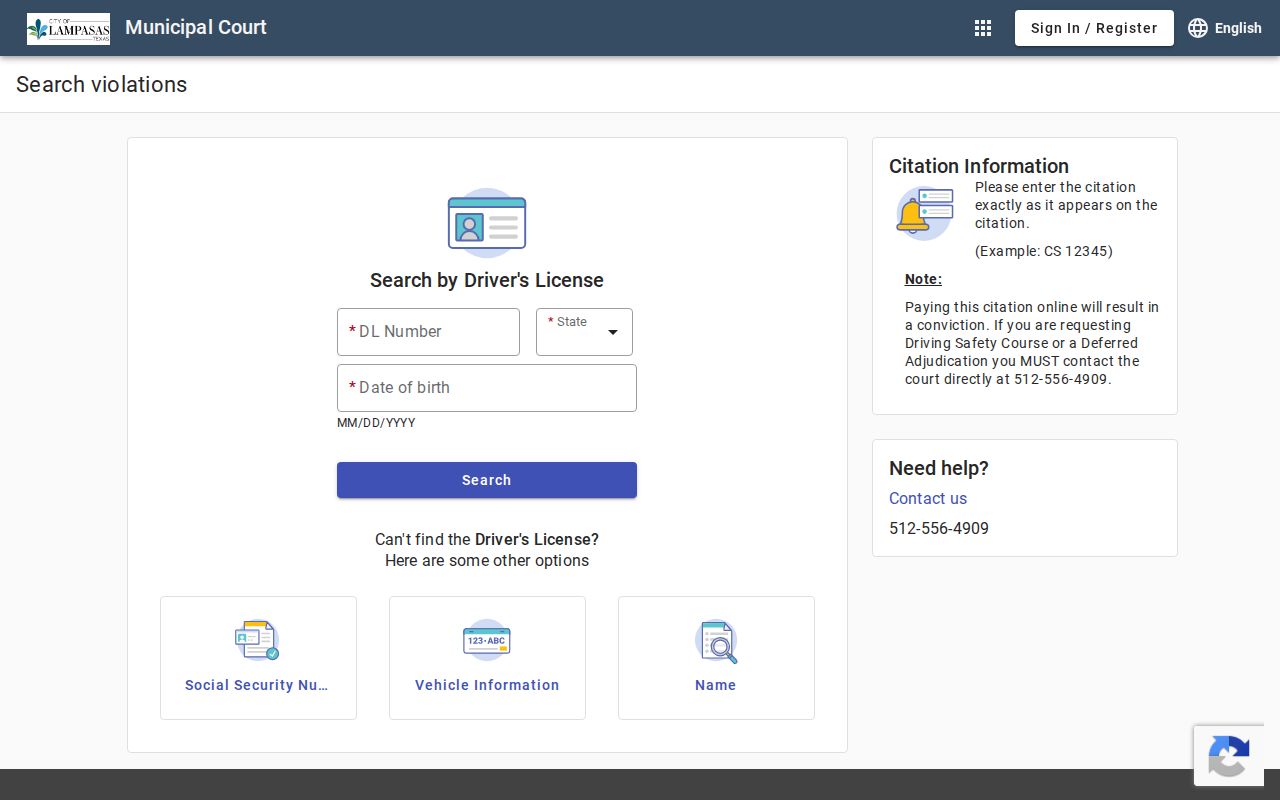
Begin with the court printed on the citation and the identifier it assigned. The Lampasas Municipal Court portal accepts a citation number, driver's license, Social Security number, vehicle information, person name, or business name. A city citation example is CS 12345. Search by the case number when possible, then telephone the clerk if the portal displays an amount without explaining the current procedural status.
- Identify the municipal court or JP precinct named on the citation.
- Use that court's online citation lookup if one is provided; a vendor result covers only its court.
- Call the clerk with the citation or cause number when a result is missing or unclear.
- Ask the court about in-person records access and speak with counsel about legal decisions.
Lometa's Balance Retrieval Error Needs a Court Follow-Up
Lometa's citation portal is another city-only route, and a research capture showed a server error while retrieving a balance. That technical failure cannot establish that a citation, judgment, or warrant is absent. If the portal will not return the record, keep the citation number and contact the municipal court using a verified current channel.
Do not switch to JP2/3 solely because those county courts are also located in Lometa. The municipal court has a separate docket. Confirm the court printed on the notice before asking about payment or a possible warrant.
Read a Lampasas Traffic Entry in Context
A case result may combine the original citation, a balance, and later court actions. Ask which entry is current and whether the record reflects an actual warrant, a judgment, or a payment obligation. A payment amount alone does not identify a bond or tell a person whether the court has recalled an order.
| Case / Citation Number | Identifier connecting the entry to the traffic case. |
|---|---|
| Charge / Offense | The alleged violation; compare it with the citation. |
| Issuing Court | The municipal court or specific JP precinct that holds the docket. |
| Judgment / Balance | Ask whether an amount is a fine, cost, bond, or remaining balance. |
| Warrant Status | Confirm current status with the court or appropriate enforcement office. |
Annual Court Activity Is Not an Outstanding-Warrant Count
Annual Office of Court Administration reports summarize cases handled over a reporting period. They do not say how many warrants remain outstanding today. Lampasas County's 2025 monthly municipal reports likewise do not establish a live warrant inventory. A filing total, disposition total, or year-end activity figure cannot be presented as the number of active traffic warrants.
The county research located no public traffic-warrant roster or current warrant-roundup announcement. To verify an individual case, use the citation's court and request a current docket answer. Aggregate court statistics can describe workload, but they cannot confirm a named case or current enforcement status.
Address a Lampasas Traffic Record Through Its Court
Do not assume that a payment link is the only option. The Lampasas Municipal Court portal warns that paying online results in conviction; anyone considering a driving safety course or deferred disposition should call the city court first. Other courts may have different procedures. Ask what response is available for the charge, whether an appearance is required, and how the court will document a completed action.
Only the issuing court can change its order or explain whether a warrant-related requirement remains. A clerk can explain filing steps but cannot recommend a legal strategy. If a warrant is confirmed, discuss surrender, bond, or a request for recall with a Texas attorney. No locally verified warrant-clear fee, county bond schedule, or universal walk-in surrender time was found.
- Confirm the case, court, amount, and warrant status directly with the clerk.
- Ask what response or appearance the court requires before sending payment.
- Get legal advice before deciding whether to contest, surrender, or seek recall.
- After a court action, request confirmation of the updated case and any related hold.
Warning: A license hold, traffic balance, and court warrant are different records; confirm each one with the office that maintains it.
City Citation Portals Cover Only Their Own Dockets
The Lampasas portal covers city citations. Kempner publishes municipal-court forms and a payment route but not a public name-search warrant list. Lometa offers a citation portal, though a research capture showed a balance-retrieval server issue. That should be treated as a technical obstacle, not proof that no case exists. Contact the appropriate city clerk when the portal cannot return a record or the payment result does not answer a status question.
A municipal portal cannot establish the status of a JP case. JP2 and JP3 share a clerk location in Lometa, while JP4 is separate from Kempner Municipal Court. Use the exact court name and case number on the citation. This distinction prevents a search in the wrong system from being mistaken for a clearance.
A Records Request Does Not Change a Traffic Order
County open-records requests go to openrecordsrequest@co.lampasas.tx.us or by mail to 501 East Fourth Street, Lampasas, Texas 76550. Lampasas city requests use the City Secretary/Public Information Officer and its request form; the city says most requests receive a response within ten working days. These processes seek existing records and remain subject to disclosure exceptions.
For traffic status, ask the court whether it can check the docket directly and what action the record currently requires. A formal records request is not an immediate active-warrant confirmation and does not recall a warrant. Keep a copy of any receipt or filing, then request confirmation after the court updates its record.
Texas DPS Holds Do Not Confirm Lampasas Warrants
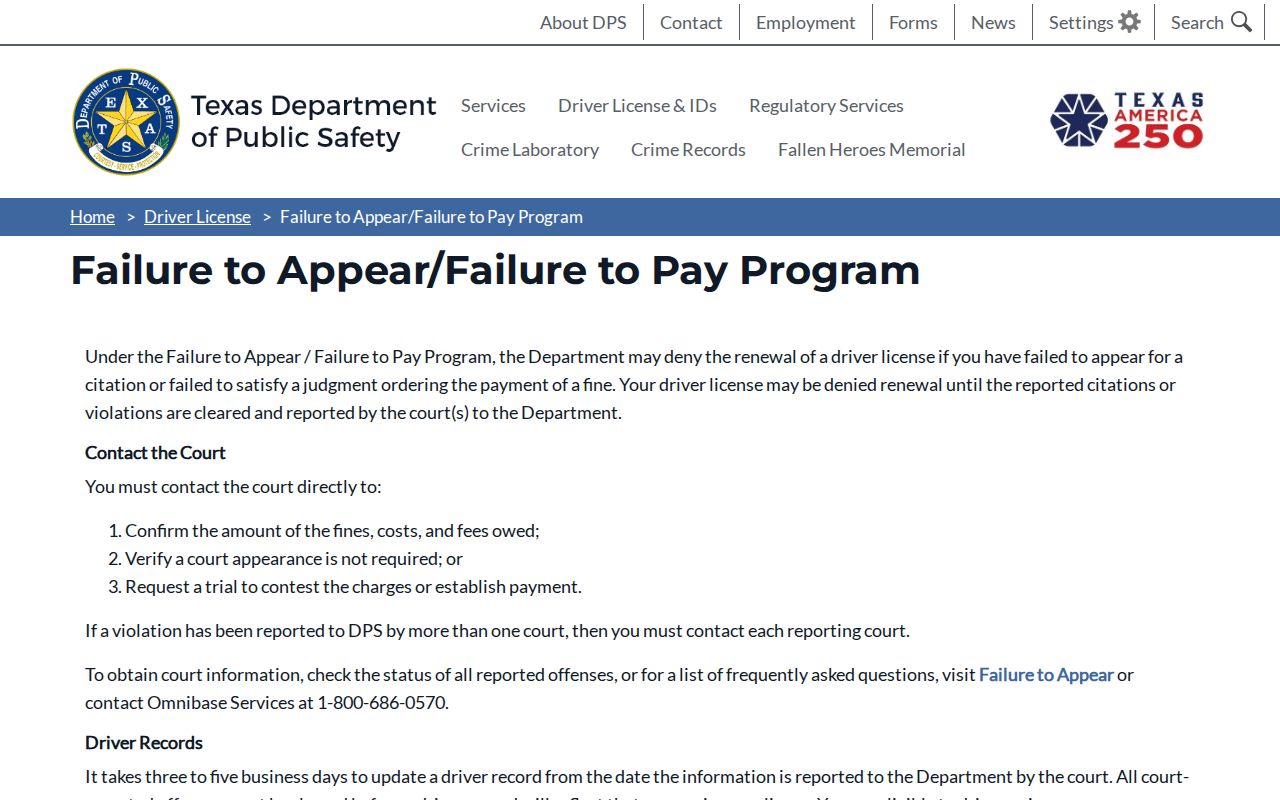
The Texas Department of Public Safety's Failure to Appear/Failure to Pay program, sometimes called OmniBase, concerns a driver's-license renewal hold tied to a covered case. It is not a public county warrant lookup. DPS's own FAQ says its staff cannot access warrant records. A license hold, citation balance, and court-issued warrant are distinct records, even when related to the same ticket.
Use DPS material to understand a possible licensing consequence, then contact the court that handled the case to ask whether a warrant or another order exists. A clear DPS result does not prove all court records are clear. An FTA/FTP flag does not by itself establish that an arrest warrant was issued. The issuing court can confirm its docket; the enforcement agency can address service.
| Mechanism | What Triggers It | What It Does |
|---|---|---|
| Court warrant | A judge enters an order in the case | May authorize arrest as stated by the order |
| Failure-to-appear entry | A required appearance was missed | May prompt further court action; verify the docket |
| DPS license hold | A covered case is reported to the state program | Can affect license renewal, not a warrant search |